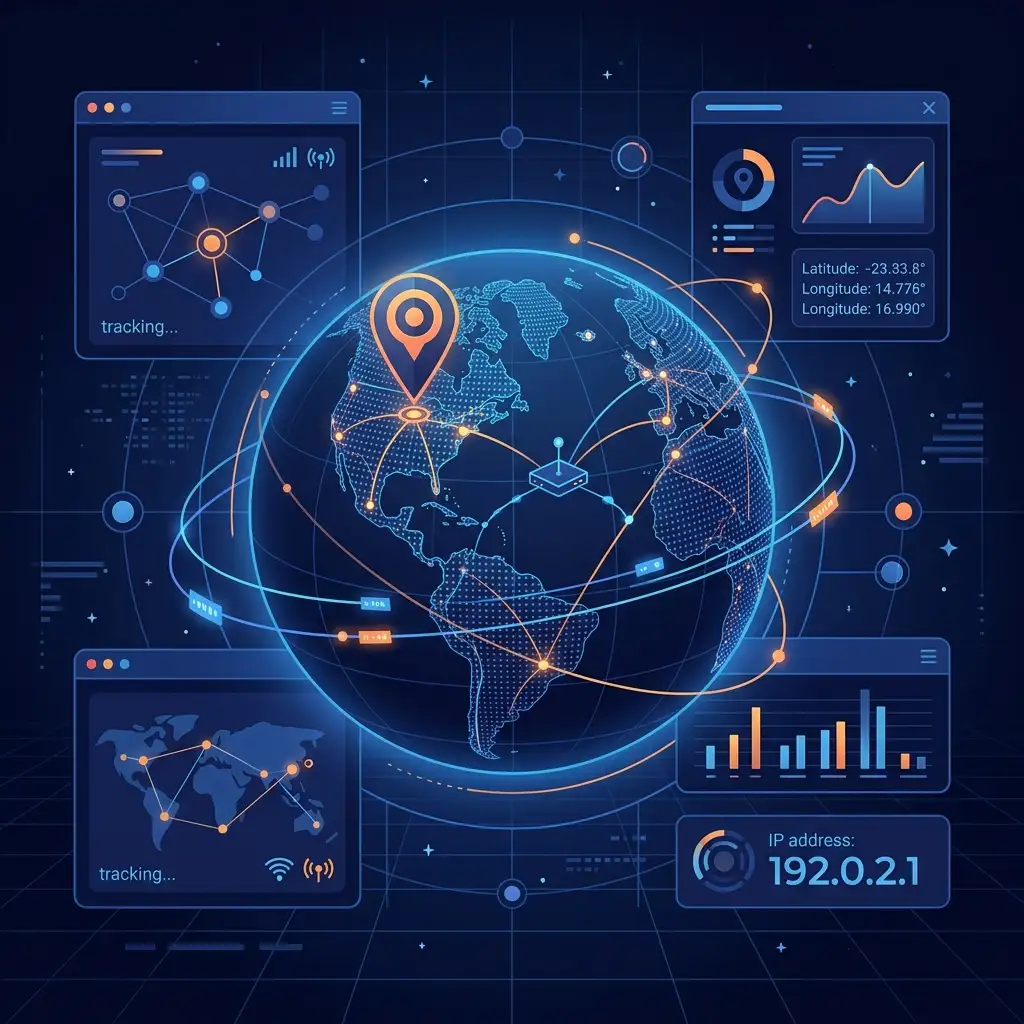
In our highly interconnected digital era, every click, message, stream, and transaction relies on an underlying structure of routing protocols and network identifiers. When you visit a website, send an email, or access a cloud application, your device communicates with a remote server using a unique numerical label: the Internet Protocol (IP) address. Tracing and understanding these digital coordinates has become crucial for network administrators, developers, cyber security teams, and marketers alike. This is where an ip and location finder becomes an indispensable asset in your digital toolbox.
Understanding how to locate and analyze these addresses is a primary requirement of modern web navigation. Whether you are troubleshooting network latencies, auditing server security, or localizing content for global audiences, knowing how to leverage a professional ip and location finder can save hours of manual investigation.
In this comprehensive guide, we will unpack the technology behind IP geolocation, analyze the security implications of IP tracking, and review how to use an ip and location finder to optimize your web development and cybersecurity workflows.
1. What is an IP and Location Finder?
At its core, an ip and location finder is a utility designed to translate a digital network identifier (an IP address) into a human-readable physical location. Every machine connected to the internet is assigned an IP address, which serves as a mailing address for digital packets. However, because these addresses are represented as numbers (such as IPv4 addresses like 192.168.1.1 or IPv6 addresses), they do not naturally reveal where the device is physically located.
An ip and location finder queries specialized geolocation databases to map these numerical addresses to geographic coordinates. By utilizing a web-based ip and location finder, users can instantly discover the country, region, city, zip code, and even the Internet Service Provider (ISP) associated with any public IP address.
This tracking process happens entirely behind the scenes by querying databases maintained by registries and commercial entities. By choosing a secure, client-side ip and location finder, you can verify network coordinates without exposing sensitive data. Our suite of tools includes a dedicated What is My IP interface, which acts as a quick ip and location finder for your own device, displaying your public network status instantly.
2. The Mechanics of IP Geolocation: How It Works
Many users wonder how an ip and location finder can pinpoint a location from a string of numbers. Geolocation is not magic; it is the result of database synchronization, routing infrastructure mapping, and registry allocations.
Step 1: Regional Internet Registries (RIRs)
IP addresses are not distributed at random. They are allocated in large blocks to different regions of the world by the Internet Assigned Numbers Authority (IANA), which you can learn about at IANA. These allocations are managed by five Regional Internet Registries (RIRs):
- ARIN: North America
- RIPE NCC: Europe, Middle East, and Central Asia
- APNIC: Asia Pacific region
- LACNIC: Latin America and the Caribbean
- AFRINIC: Africa
When an ISP or hosting provider needs IP blocks, they request them from their local RIR. The registry records this allocation, creating a public register of which block belongs to which provider. An ip and location finder queries these public registry records as its primary data layer.
Step 2: Commercial Geolocation Databases
While RIR records indicate which provider owns an IP block, they do not always show where the server is located. To solve this, companies like MaxMind, IP2Location, and DB-IP build commercial databases. They gather data using network ping analysis, user-submitted locations, and partnerships with ISPs. A high-quality ip and location finder utilizes these databases to provide highly accurate, city-level location coordinates.
Step 3: Network Latency and Routing Analysis
To refine coordinate mapping, advanced ip and location finder systems analyze network routing tables and latency. By measuring the time it takes for a signal to travel from known server points to the target IP address (using round-trip time calculations), the geolocation system can estimate physical proximity.
By combining registry records, ISP allocations, and routing math, a browser-based ip and location finder delivers instant coordinates in seconds.
3. Understanding the Data Returned by an IP and Location Finder
When you input an address into an ip and location finder, the tool returns a detailed dashboard of data points. Let's look at what each parameter means and how you can interpret it.
| Parameter | Description | Use Case |
|---|---|---|
| IP Address | The numerical network identifier (IPv4 or IPv6 format). | Core identifier |
| Country & Code | The nation where the IP block is registered. | Content licensing, language settings |
| Region / State | The administrative territory (e.g. California, Bavaria). | Regional sales tax, localized campaigns |
| City | The municipality where the network node terminates. | local search optimization, targeted ads |
| Latitude & Longitude | Approximate map coordinates of the network node. | Map rendering, spatial analysis |
| ISP | The Internet Service Provider hosting the line (e.g., Comcast, BT). | Detecting home users vs. servers |
| ASN | Autonomous System Number representing the routing network. | BGP routing audits, cybersecurity filters |
| Timezone | The local time standard of the location. | Scheduling communications, fraud analysis |
When running audits, using a detailed ip and location finder helps you quickly isolate whether traffic is legitimate or originating from hosting servers. For instance, if your website receives multiple registrations from a residential ISP in a different country, an ip and location finder can verify the anomaly immediately.
4. Key Use Cases for an IP and Location Finder
An ip and location finder is not just for casual tracking; it serves vital business, security, and development purposes. Let's explore the primary fields where an ip and location finder is used daily.
Cybersecurity and Threat Audits
For security analysts, an ip and location finder is the first line of defense. When a firewall logs a suspicious access attempt, security engineers copy the source IP and run it through an ip and location finder. This verifies if the login attempt originates from an expected country or a known proxy server network.
Fraud Prevention in E-Commerce
Online merchants use automated ip and location finder check routines during checkout. If a credit card billing address is in New York, but the purchase originates from an IP address geolocated to Eastern Europe, the system flags the transaction as high-risk. This automated ip and location finder workflow prevents chargeback losses.
Content Personalization
Websites use an ip and location finder to localize user experience. When you land on a global site, the server runs an ip and location finder lookup on your browser request. It automatically redirects you to the correct language subdomain and formats pricing in your local currency.
Network Administration and Troubleshooting
When diagnosing server drops or slow connection nodes, network admins use traceroute checks. An ip and location finder translates each intermediate routing hop into a map location, identifying where bottlenecks are located globally.
5. Domain Geolocation: Linking Hostnames to IPs
Many developers think that an ip and location finder only works with IP addresses. However, you can also use these tools to locate domain hostnames.
Websites are hosted on servers, and those servers have IP addresses. To find the physical location of a website (like example.com), you must perform a DNS lookup to resolve the hostname to its underlying server IP, and then pass that IP to an ip and location finder.
How to Track a Website's Server Location:
1. Resolve Domain to IP: Run the website URL through our Domain into IP tool. This resolves the public domain to its hosting IP.
2. Run Geolocation Analysis: Copy the resolved hosting IP and paste it into our ip and location finder interface.
3. Audit Domain Ownership: To inspect the registrar registration details, nameservers, and expiry dates, use the WHOIS Checker to perform a full domain audit.
By combining the resolved server IP and passing it to an ip and location finder, you can see exactly where a competitor's site is hosted and verify their server network topology.
6. Geolocation Accuracy and Privacy Limitations
While an ip and location finder is highly effective, it has strict limits regarding accuracy and privacy. Understanding these limitations is critical for developers and security specialists.
City-Level vs. Street-Level Accuracy
An ip and location finder is not a GPS tracking tool. It cannot pinpoint a user's exact house number, street name, or physical location.
- Country Accuracy: ~99% accuracy.
- Region/State Accuracy: ~90% to 95% accuracy.
- City Accuracy: ~80% to 90% accuracy.
- Street-Level Accuracy: Almost 0%.
Commercial databases map IPs to the nearest ISP exchange center or network distribution node. This means the location returned by an ip and location finder is usually the ISP's local routing office, which might be several miles away from the user's actual device. This accuracy buffer is a vital privacy protection measure, ensuring that a public ip and location finder cannot be used to compromise individual safety.
Dynamic IP Shifting
ISPs rotate IP addresses among residential users using Dynamic Host Configuration Protocol (DHCP). If an ISP reallocates an IP block from city A to city B, it can take days for commercial databases to sync. During this transition, an ip and location finder may show outdated location data.
7. How Users Hide Their Coordinates from an IP and Location Finder
Because IP tracking is widespread, many users take steps to mask their network identifiers. If you are auditing web traffic, you must understand how users bypass an ip and location finder.
Virtual Private Networks (VPNs)
A VPN routes a user's internet traffic through an encrypted tunnel to a server in a different location. If a user in London connects to a VPN server in Tokyo, an ip and location finder will query the Tokyo server's IP. The tool will geolocate the user to Japan, masking their real location in London.
Proxy Servers
Like VPNs, proxy servers act as intermediaries for web requests. When a request passes through a proxy, the proxy's IP is visible, hiding the user's address from any web-based ip and location finder.
The Tor Browser
The Tor network routes traffic through multiple volunteer nodes worldwide, encrypting the data at each hop. By the time the web request reaches the destination website, only the exit node's IP is visible. As a result, an ip and location finder will show the location of the Tor exit node (which changes continuously), making tracing impossible.
For web developers, detecting VPN and proxy nodes is an important extension of basic ip and location finder configurations to prevent bot spam and automate security.
8. Developer Tutorial: Building a Client-Side IP and Location Finder
For developers building websites or custom dashboards, implementing a client-side ip and location finder is a common requirement. In this tutorial, we will write a production-ready JavaScript component that acts as a real-time ip and location finder using a public geolocation API.
JavaScript Implementation
We will use a secure, public geolocation endpoint to fetch IP data and display it in an HTML dashboard.
async function runIPFinder() {
  const statusContainer = document.getElementById('ip-status');
  statusContainer.innerHTML = 'Querying ip and location finder API...';

  try {
    // Fetch data from a secure geolocation provider
    const response = await fetch('https://ipapi.co/json/');
    if (!response.ok) throw new Error('API query failed');

    const data = await response.json();

    // Render the ip and location finder dashboard
    statusContainer.innerHTML = `
      <div style="padding: 1.5rem; background: #ffffff; border-radius: 12px; border: 1px solid #e2e8f0;">
        <h4 style="margin-bottom: 1rem; color: #2563eb;">IP Geolocation Results</h4>
        <ul style="list-style: none; padding: 0; display: flex; flex-direction: column; gap: 0.5rem;">
          <li><strong>IP Address:</strong> ${data.ip}</li>
          <li><strong>Country:</strong> ${data.country_name} (${data.country_code})</li>
          <li><strong>Region:</strong> ${data.region}</li>
          <li><strong>City:</strong> ${data.city}</li>
          <li><strong>ISP:</strong> ${data.org}</li>
          <li><strong>Coordinates:</strong> ${data.latitude}, ${data.longitude}</li>
        </ul>
      </div>
    `;
  } catch (error) {
    statusContainer.innerHTML = `<span style="color: #dc2626;">Error: ${error.message}</span>`;
  }
}
This simple component demonstrates how easy it is to embed an ip and location finder into your custom web applications, allowing you to personalize user layouts on the fly.
9. Network Neighborhood Audits: Class C IP Ranges
When auditing server security, you must analyze not just a single IP address, but the entire network neighborhood. This is where combining an ip and location finder with a subnet auditor becomes essential.
An IP address is divided into four octets (e.g., A.B.C.D). The first three octets (A.B.C) represent the network block, often referred to as the Class C range. Servers hosted on the same Class C block are physically located in the same data center and managed by the same hosting provider.
Why Audit Class C Networks?
If you are hosting a website, search engines index your domain alongside your neighbors on the same Class C block. If your neighbors are spam sites or link networks, search crawlers might flag your subnet as untrustworthy.
By using an ip and location finder to geolocate your main IP, you establish your base server center. You can then run your IP through our Class C IP Checker to discover what other websites share your hosting block. If you discover suspicious neighbors, you can contact your host to move your site or request a dedicated IP address. This proactive combination of an ip and location finder and Class C subnet check keeps your site safe from neighborhood penalties.
10. Privacy Guidelines: How to Protect Your Own IP
If you use search engines, shop online, or browse social media, your IP address is logged continuously. If you want to protect your privacy and mask your coordinates from a public ip and location finder, follow these guidelines:
1. Use a Secure VPN: Routing your traffic through a VPN is the easiest way to hide your IP. It replaces your residential IP with the VPN server's IP, preventing any online ip and location finder from tracing your ISP.
2. Enable DNS Leak Protection: Sometimes, even when using a VPN, your browser sends DNS requests directly to your ISP. Ensure your VPN client has "DNS Leak Protection" checked to prevent location leaks.
3. Disable WebRTC in Browsers: WebRTC is a browser technology used for real-time communication (like voice and video calls). WebRTC can bypass VPNs and reveal your real public IP to a local script. You can install extensions to disable WebRTC leaks, ensuring that a client-side ip and location finder cannot discover your actual coordinates.
4. Use Private Search Engines: Some search providers log your IP and track your search queries. Using privacy-focused search engines prevents this profiling.
To test if your privacy configurations are working, connect to your VPN and visit our What is My IP page. If the location shown matches your VPN server and not your actual city, your IP is successfully masked from any online ip and location finder.
11. Tracing Email Headers and Sender Locations
A common use case for an ip and location finder is investigating suspicious emails. Phishing and email scams are widespread, and knowing how to trace a sender is a vital digital skill.
Emails contain hidden metadata called headers, which record the path the email took from the sender's device to your inbox. By extracting these headers, you can find the sender's IP and use an ip and location finder to verify their location.
How to Trace an Email Sender:
1. Open Email Source: In your email client (e.g., Gmail, Outlook), select "View Original Source" or "View Message Headers."
2. Locate Received Headers: Search the headers for lines starting with Received: from. The oldest Received line at the bottom of the stack contains the IP address of the device or server that sent the email.
3. Run Geolocation Analysis: Copy the sender's IP and paste it into an ip and location finder.
4. Verify Sender Domain: If the email claims to be from a bank in London, but the ip and location finder locates the sender IP to a server block in another continent, you know immediately that the email is fraudulent.
By integrating an ip and location finder check into your email review routine, you can protect yourself and your organization from phishing and email spoofing.
Conclusion: Mastering IP Geolocation Utilities
An ip and location finder is a versatile and essential tool for navigating, developing, and securing modern web applications. From cybersecurity threat intelligence and e-commerce fraud prevention to personalized user layouts and SEO network neighborhood audits, IP tracking plays a massive role in our daily web experience.
By understanding the mechanics of regional registries, commercial databases, and network latency checks, you can interpret geolocation data with confidence. Furthermore, by understanding how VPNs, proxies, and privacy protocols mask IP addresses, you can audit traffic integrity more effectively.
If you are ready to implement these checks on your own projects, check out our suite of free tools. Start by verifying your own network coordinates using the What is My IP checker, resolve domain hostnames to server IPs with Domain into IP, and audit your hosting neighbors with the Class C IP Checker to keep your web properties fast, secure, and search-optimized.
FAQ: Frequently Asked Questions About IP Tracking
Can an ip and location finder track a phone number?
No. An ip and location finder only tracks IP addresses assigned to network interfaces. To track a phone number's location, you need access to cellular network triangulation or GPS location sharing permission.
Is using an ip and location finder legal?
Yes. Querying an ip and location finder to geolocate a public IP address is completely legal. Public IP addresses are broadcast openly by devices to establish network connections, and the database records are publicly queryable.
Why does the ip and location finder show the wrong city?
This usually happens because your ISP routes your traffic through a regional gateway in an adjacent city, or because the geolocation database has not synced its IP allocation updates yet.
Does an ip and location finder store my search data?
It depends on the tool you use. Many commercial tools log search history for tracking. However, our utilities at StartupAI Tools run client-side computations, ensuring that your queries are never stored on a backend server.