
If you have spent any time in developer circles recently, you have likely run into the phrase "vibe coding". Coined jokingly by AI researchers and developers on tech forums, the term has quickly evolved from a lighthearted meme into a legitimate description of a massive paradigm shift in software engineering.
But what exactly is vibe coding, and why is it transforming how software is conceptualized, designed, and deployed?
Simply put, vibe coding is the practice of building software where the human developer acts as an architect, orchestrator, and reviewer, while an artificial intelligence coding agent does the heavy lifting of writing, syntax-checking, and compiling the code. Instead of spending hours debugging semicolon placements, import errors, or package mismatches, you explain your intent (the "vibe"), review the AI's output, and run the program. If it works, you move on; if it breaks, you ask the agent to fix it.
This guide provides a comprehensive, deep technical overview of vibe coding tools in 2026. We will explore the philosophy behind this movement, review the absolute best tools on the market today, outline a step-by-step master workflow, and discuss what this shift means for the future of software engineering.
1. What is Vibe Coding? (Philosophy & Evolution)
For decades, the primary barrier to entry for software engineering was syntax. To build an app, you had to learn the exact vocabulary, structures, and quirks of languages like C++, Java, Python, or JavaScript. If you forgot a curly brace or misconfigured a web framework, the system threw a cryptic compilation error and refused to run. Coding was a slow, granular process of translation: translating human desires into syntax that machines could execute.
With the rise of large language models (LLMs) and advanced agentic architectures, the syntax barrier is dissolving. Vibe coding represents a shift from manual instruction typing to intent specification.
In a vibe coding paradigm, your primary tools are:
1. Clear communication: The ability to describe system requirements, edge cases, and architectures logically in natural language.
2. Reviewing diffs: The skill to look at git changesets and verify if the agent's logic matches your system goals.
3. Execution context: Setting up local or cloud environments where the agent can test its code, read compiler errors, and self-heal.
Vibe coding is not "prompt engineering" in the classical sense of writing a single sentence and hoping for a finished app. It is an interactive, conversational loop where the developer and the AI collaborate in real-time, working through structural design, debugging, refactoring, and deployments.
2. The Agentic Coding Loop: How It Actually Works
To successfully vibe code, you must understand the underlying mechanics of how these tools operate. Modern vibe coding tools are built on agentic frameworks that go far beyond standard autocomplete (like early GitHub Copilot).
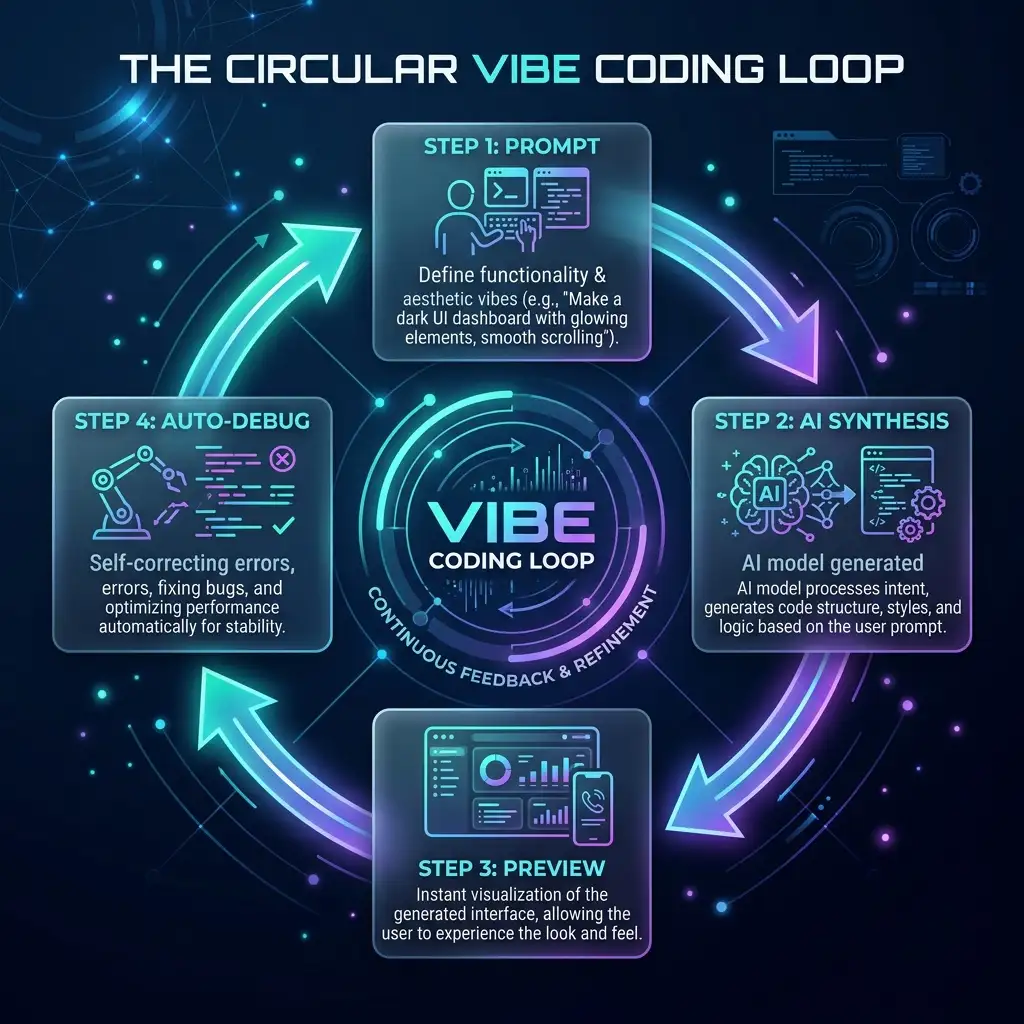
A standard vibe coding workflow runs in a continuous loop:
1. Intent (The Prompt): The user describes what they want to build (e.g., "Add a search bar to my dashboard that filters items dynamically as the user types").
2. Context Assembly (RAG): The tool scans your codebase, indexing files, folder structures, imports, and dependencies. It packages this relevant context and sends it to the LLM.
3. Synthesis (Code Generation): The LLM generates code changes, editing existing files or creating new ones.
4. Git Diff & User Review: The IDE displays the modifications as a diff. The developer reviews the changes, accepting or rejecting them.
5. Execution & Auto-Debugging: The developer runs the dev server or tests. If terminal errors or console warnings pop up, the AI reads the logs and automatically writes patches to fix them.
This iterative loop dramatically reduces the time between a feature idea and a working production deployment.
3. Deep Dive: The Top Vibe Coding Tools of 2026
The vibe coding ecosystem has exploded, with tools catering to different experience levels, workflows, and deployment targets. Let's review the leading platforms in detail.
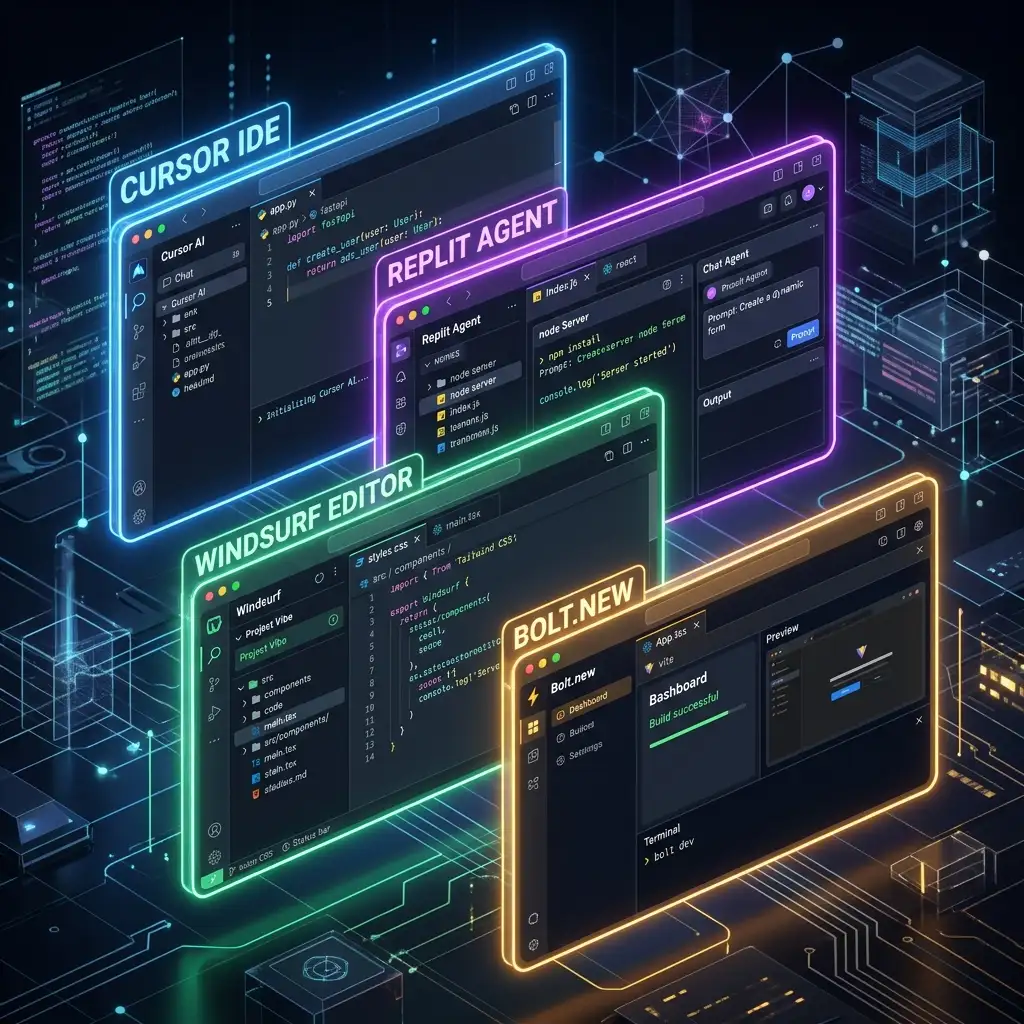
A. Cursor IDE: The Power-User Editor
Cursor is a native fork of VS Code, making it the most seamless transition tool for traditional developers. It inherits all VS Code extensions, themes, and keymaps, while replacing the core editor logic with deep AI integration.
- Core Features:
- Composer Mode (Ctrl+I): A multi-file edit workspace where you can instruct Cursor to make changes across your entire project simultaneously.
- Chat Panel (Ctrl+L): Ask questions about specific lines of code, folders, or import structures with automated codebase indexing.
- Tab Autocomplete: Predicts multi-line edits before you type, adapting to your personal coding style.
- Pros:
- Absolute control. You can step in and edit code manually whenever the AI struggles with complex logic.
- Full extension compatibility. Works with GitLens, Prettier, Tailwind IntelliSense, etc.
- Fast, local-first search and codebase indexing.
- Cons:
- Requires a paid subscription for high-volume use.
- Setup can be intimidating for non-programmers who aren't familiar with local development environments, node packages, or terminal CLI commands.
B. Bolt.new: The Full-Stack Web Builder
Developed by StackBlitz, Bolt.new is a browser-based coding environment that lets you build, run, edit, and deploy full-stack applications directly from a web tab. It uses WebContainers to run Node.js, databases, and local servers inside your browser sandbox.
- Core Features:
- Prompt-to-Preview: Write a prompt like "Build an ecommerce store with a shopping cart and Stripe checkout," and watch the app build itself and spin up a working live preview on the right.
- Self-Healing Terminal: If the Node.js build fails, Bolt automatically intercepts the error message, drafts a solution, and runs the terminal command to apply the fix.
- Instant Deployment: Connects to platforms like Netlify or Vercel for one-click publishing.
- Pros:
- Absolutely zero local installation. Perfect for rapid prototyping or non-technical founders.
- Fully transparent environment: you can open the file editor, modify variables, and inspect network requests.
- Cons:
- Performance can lag on older machines because the local server runs in the browser's web worker thread.
- Restricted to JavaScript-based full-stack frameworks (Next.js, Vite, Remix).
C. Lovable.dev: The SaaS Prototyper
Lovable is designed specifically for building functional software applications (SaaS) and admin dashboards at lightning speeds. It emphasizes high-fidelity frontends paired with serverless database integrations.
- Core Features:
- High-Fidelity Tailwind Designs: Generates stunning modern UI out of the box.
- Supabase Integration: Automatically spins up database tables, sets up authentication, and links tables to the UI.
- Interactive Component Editing: Point at a button on the visual preview, write "change this button to trigger a popup," and Lovable updates the code behind that component.
- Pros:
- Premium design defaults. The generated apps look highly polished and professional.
- Excellent for building data-driven SaaS platforms.
- Cons:
- High pricing tier for commercial use.
- Can be difficult to migrate or write custom backend logic outside the Supabase/React ecosystem.
D. Windsurf: The Dual-Agent Flow Editor
Created by Codeium, Windsurf is another VS Code-based editor designed around the concept of "Flow." It focuses on a highly collaborative interface where the AI agent and the developer edit files concurrently in a shared memory pool.
- Core Features:
- Windsurf Flow: AI executes commands, runs scripts, and refactors structures in a continuous workflow while the developer is writing code.
- Deep Semantic Context: Uses Codeium's proprietary indexing engine to understand complex data flows and nested imports.
- Pros:
- Excellent context awareness. It excels at large, legacy codebases.
- Faster autocompletions compared to traditional extensions.
- Cons:
- Can occasionally lead to conflicts if both you and the agent edit the exact same line of code simultaneously.
4. The Vibe Coding Workflow: A Step-by-Step Blueprint
Vibe coding is incredibly fast, but if you do not follow a structured approach, you will end up in a "hallucination loop"—where the AI continuously writes broken code, tries to fix it, breaks something else, and runs out of context memory.
Here is the professional workflow to ensure successful projects:
Step 1: Architectural Scaffolding
Do not start by prompting "Build me a social media app." The context window is too small, and the AI will get overwhelmed.
Instead:
1. Define your tech stack (e.g., Next.js App Router, Tailwind CSS, Supabase).
2. Ask the tool to initialize the directory structure:
Create a Next.js workspace in the current directory. Set up basic folders for components, data hooks, and styles.3. Establish coding guidelines. Create a file called .cursorrules or AGENTS.md specifying your conventions (e.g., "Use TypeScript," "Keep components modular," "Write server actions instead of API routes").
Step 2: Intent Specification (Prompting with Context)
When instructing the agent, be specific. Use markdown structures, specify input variables, and attach file references.
  Build a ContactForm component in src/components/ContactForm.tsx.
  - Fields: name (text), email (email), message (textarea).
  - Validation: Ensure email is valid, and message is at least 10 characters.
  - Action: Submits data to a Next.js server action in src/app/actions/contact.ts.
- UI: Use glassmorphism styling with border-light, slate background, and smooth hover animations on submit.- Bad prompt: "Make a contact form."
- Good prompt:
Step 3: Git-Driven Review
Before clicking "Accept All," inspect the diff line-by-line.
- Look for deleted lines of code. AI agents occasionally delete vital functions or import statements by mistake when writing refactors.
- Ensure the agent is using type safety. If it introduces
anyvariables, ask it to write explicit TypeScript interfaces instead.
Step 4: Run, Test, and Auto-Fix
Run your local dev server. If compilation warnings appear in the terminal, copy the error message directly into the chat:
The server threw this compilation error when loading the page:
[Paste error log]
Please fix the imports or layout types.
The agent will scan the file system, find the incorrect import path, and write a diff to fix it.
Step 5: Verification & SEO Optimizations
Once the feature compiles successfully, you must verify content quality, security, and page speed.
- If you are generating articles or writing guides, copy the text into tools like our Grammarly Free utility to verify spelling, agreements, agreements, and sentence structures.
- Run an SEO audit using our AdSense Checker to make sure page structure, sitemaps, and indexing paths are optimized for monetization.
- Generate clean config files like sitemaps or redirect parameters using the resources at Free Sumo Tools to ensure Google indexes your new pages quickly.
5. Master Comparison: Which Vibe Coding Tool is Right For You?
Use this comparison table to decide which tool fits your experience level and project scope:
| Vibe Coding Tool | Best For | Target User | Learning Curve | Execution Target |
|---|---|---|---|---|
| Cursor IDE | Production apps, custom layouts, codebase maintenance | Developers, tech enthusiasts | Medium | Local desktop (VS Code) |
| Bolt.new | Rapid prototyping, static sites, single-page SaaS | Founders, product managers | Low | Browser Sandbox |
| Lovable.dev | Premium database SaaS applications, visual dashboards | Solopreneurs, startups | Low | Browser Workspace |
| Windsurf | Large repository refactoring, complex data flows | Software engineers | Medium | Local desktop |
| Replit Agent | Backend services, API hosting, database servers | Cloud developers | Medium | Replit Cloud |
6. Common Pitfalls & How to Avoid Them
While vibe coding feels like magic, it has technical limitations. If you are not careful, you can create bloated, insecure, or unmaintainable codebases.

Pitfall A: The Context Bleed
As your project grows, your codebase contains hundreds of files. If you pass all these files to the AI agent, the prompt context window fills up. The AI starts forgetting instructions, gets confused, and writes buggy code.
- The Fix: Keep your components tiny and focused. Use modular structures. If you are building a profile page, separate the avatar component, the form logic, and the server query actions into individual files. Only open the specific file you want the AI to modify.
Pitfall B: Dependency Hell
AI agents love installing packages. If you say "add an icon", the agent might run npm i react-icons without checking if you already have lucide-react installed. This bloats your bundle size and slows down your page loads.
- The Fix: Explicitly tell the agent: *"Do not install new npm packages unless absolutely necessary. Check package.json first and use existing dependencies."*
Pitfall C: Security Ignorance
AI models do not automatically think about security vulnerabilities unless prompted. They might expose API keys to the client, write queries vulnerable to database injection, or skip authentication checks.
  Review this component and server action for security vulnerabilities.
Check for API key exposures, data validation leaks, or auth bypasses.- The Fix: Perform a dedicated security audit prompt before deploying:
7. The Developer's Survival Guide: How to Stay Relevant
A common question among developers is: "Will vibe coding replace programmers?"
The answer is no, but it will replace programmers who *only* write syntax.
If your primary value is remembering the exact parameters of a JavaScript function or typing HTML tags manually, you are competing with tools that do that instantly for pennies. However, if your value is system architecture, security validation, business logic alignment, and user experience, vibe coding makes you ten times more productive.
To stay highly relevant in this new paradigm:
1. Learn System Architecture: Understand databases, network requests, state management, caching, and APIs. You need to know *what* to build and *how* systems connect, even if you do not write the lines of code yourself.
2. Master Debugging: AI tools are amazing at writing code, but when they fail, they fail spectacularly. You must be able to read error logs, inspect network tabs, and identify logic flaws manually.
3. Focus on Product Value: Leverage vibe coding tools to build micro-SaaS applications, launch newsletters, construct custom utilities (like our URL Shortener or QR Code Generator), and focus on marketing and solving user problems.
8. The Future of Vibe Coding (2026 and Beyond)
We are moving towards a future of multi-agent orchestration.
Instead of a single AI assistant editing one file at a time, you will manage a team of specialized AI agents. One agent will write the frontend components, another will generate the backend API routes, a third will write automated unit tests, and a fourth will continuously scan the codebase for security leaks and SEO optimizations.
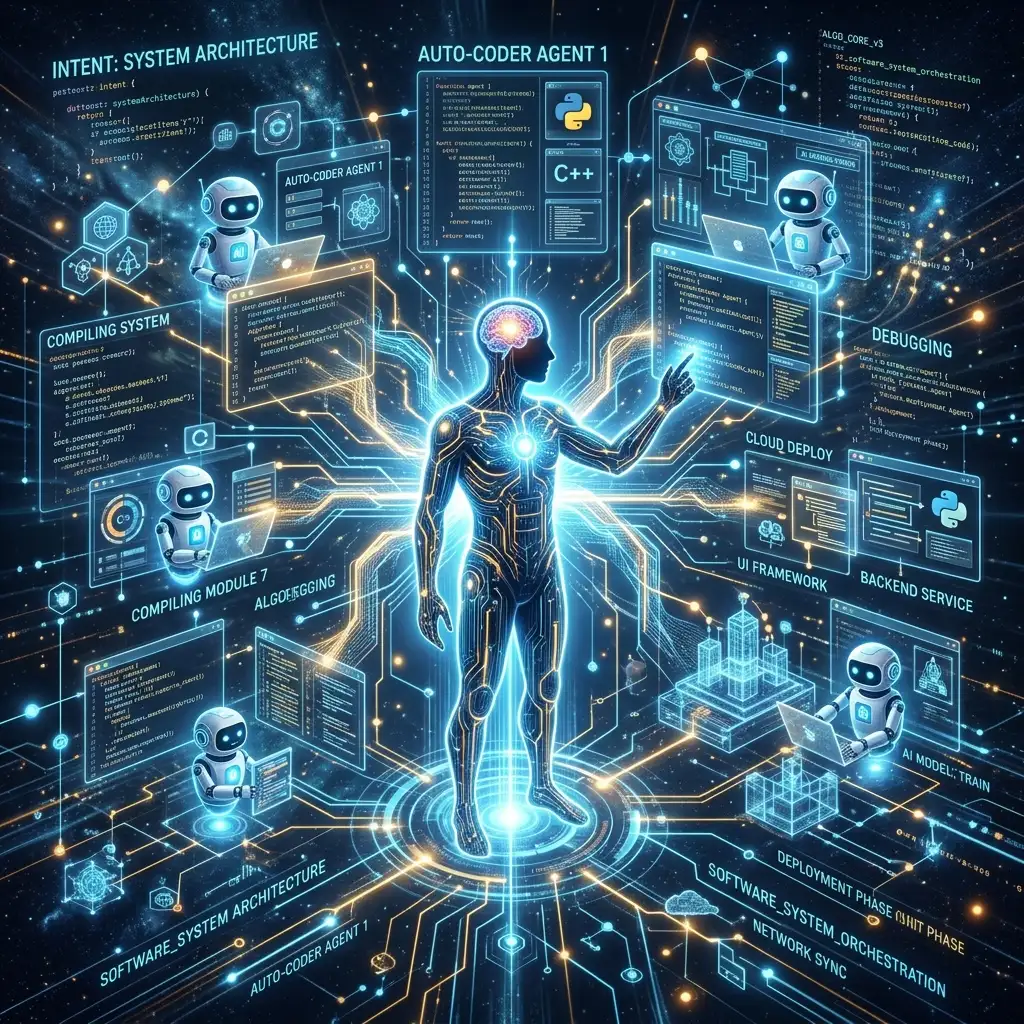
Software development is transitioning from a mechanical craft of typing code to a conceptual craft of directing intent. The developers of tomorrow will not be typing instructions on a keyboard; they will be orchestrating flows, checking diffs, and vibing.
If you have not started yet, download a tool like Cursor, spin up a workspace on Bolt.new, and build your first app. The vibe is immaculate.